





The Learn LMS platform has been moving fast...and if you haven't had a chance to keep up with every update, this post is for you. Over the last six months, we've shipped improvements that go deeper than surface-level polish. These updates are about making Learn LMS more powerful, more flexible, and more native to the way your team already works inside HubSpot.
Here's a look at what's new, and a sneak peek at what's landing soon.
Deeper HubSpot Integration
App Objects Replace HubDB
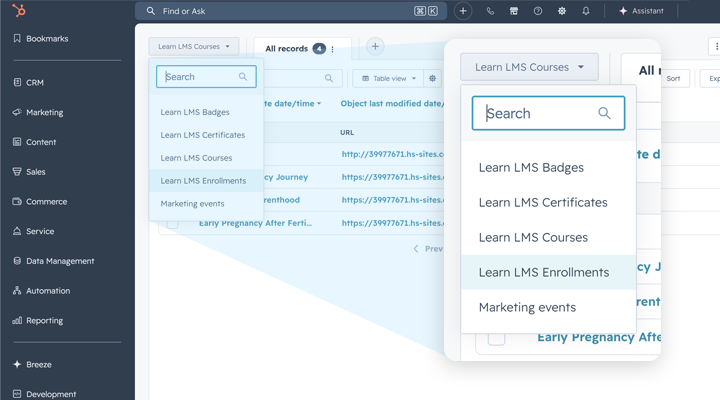
One of our most significant architectural changes is the shift from HubDB to App Object support for managing academy data.
Previously, Learn LMS relied on HubDB to store and surface academy information like courses, enrollments, and learner records. It worked, but it created friction. HubDB requires paid access at certain tiers, and it operates somewhat separately from the rest of your HubSpot data, making it harder to use academy data in the same workflows, reports, and automations you apply to contacts, deals, or custom objects.
With App Object support, your Learn LMS data is now unified with the rest of your HubSpot portal. Course records, learner progress, certifications - all of it(!) behaves like a standard HubSpot object record. That means you can reference it in workflows, pull it into reports, associate it with contacts, and work with it using the same tools you already know.
The practical upside: no more paid HubDB access required, and a much cleaner data model across your portal. For admins, RevOps teams, and HubSpot power users, this unlocks a new level of integration between your learning program and the rest of your business operations.
Richer Assessments
Rich Text Quiz Questions & Open-Text Grading
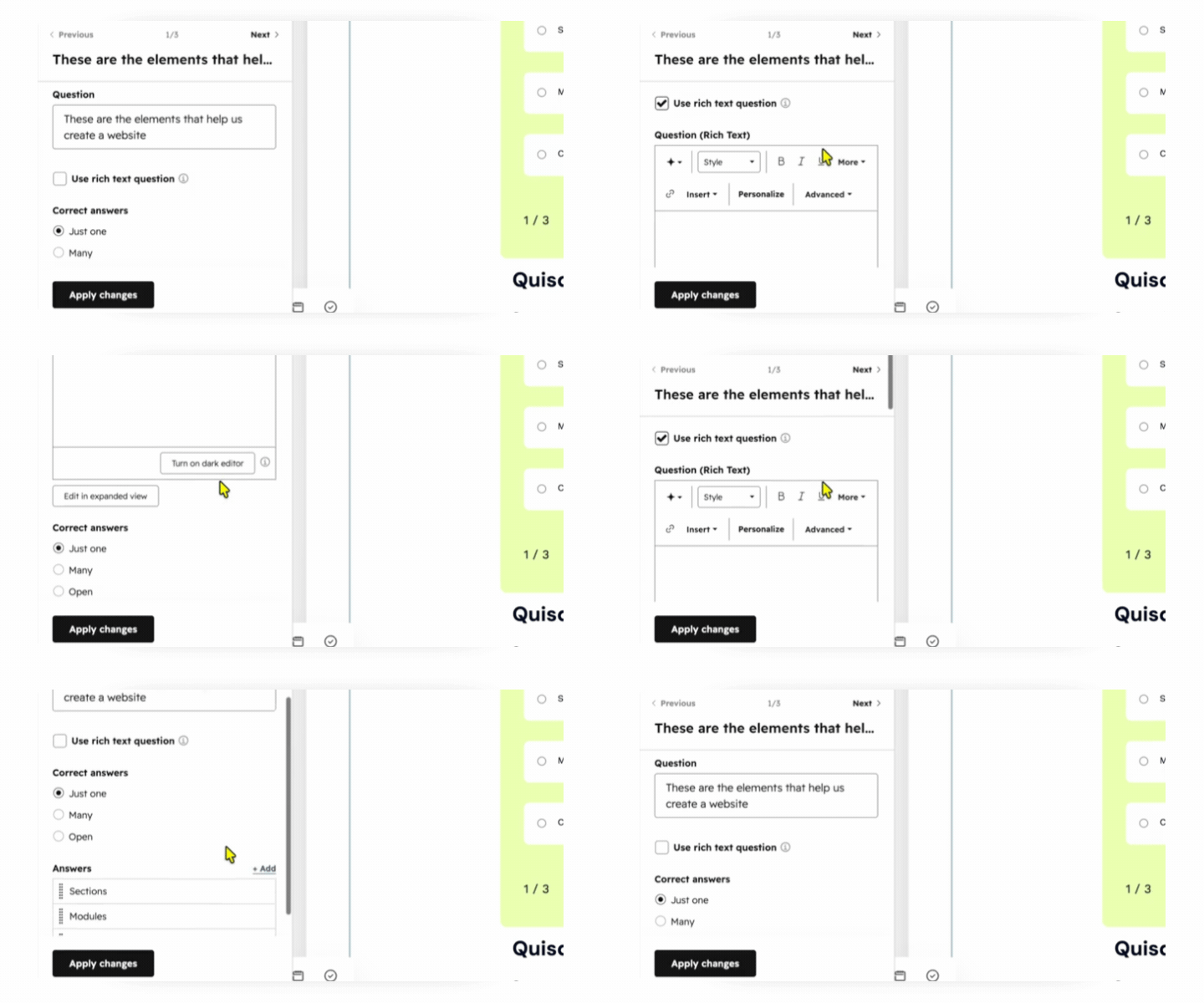
Assessments just got a serious upgrade.
Learn LMS now supports rich text formatting in quiz questions, meaning you can include images, formatted text, code snippets, and more directly within your question prompts. For technical training, compliance content, or any course where context and visuals matter, this opens up a whole new range of assessment possibilities.
But the bigger shift is in how you can evaluate learner responses. Admins now have the ability to manually review and grade open-text responses and practicums. Rather than being limited to auto-graded multiple choice or true/false questions, you can now ask learners to demonstrate real understanding - write a response, submit a plan, explain a concept - and then evaluate those answers directly inside Learn LMS.
This is particularly valuable for customer-facing training programs, partner certifications, or any scenario where depth of understanding matters more than pattern-matching the right answer.
Smarter Course Discovery
Course Preview Layer
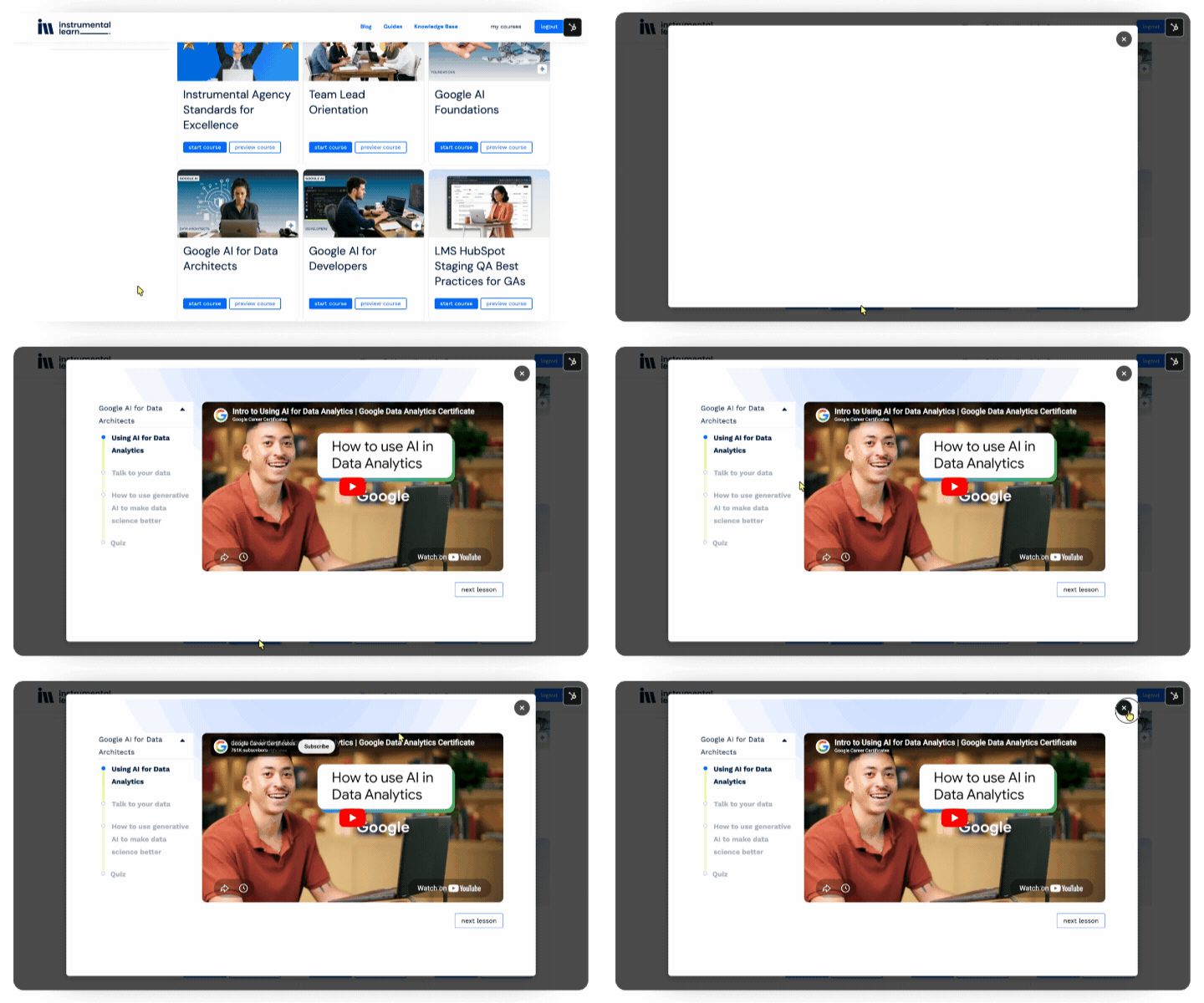
First impressions matter, especially when you're asking someone to invest time in a course.
We've added a course preview layer that gives learners a meaningful look at a course before they land on the full course page. Instead of dropping users directly into content, admins now have the option to make sure learners see an intermediate view with the key details they need to make an informed decision: what the course covers, what they'll walk away with, and what to expect.
The result is a smoother, lower-friction experience for learners. They arrive on the course page with context and intent, rather than uncertainty. For teams focused on learner engagement and completion rates, this small UX shift can make a meaningful difference in how learners move through your academy.
More control for builders
Improved certification builder in the page editor
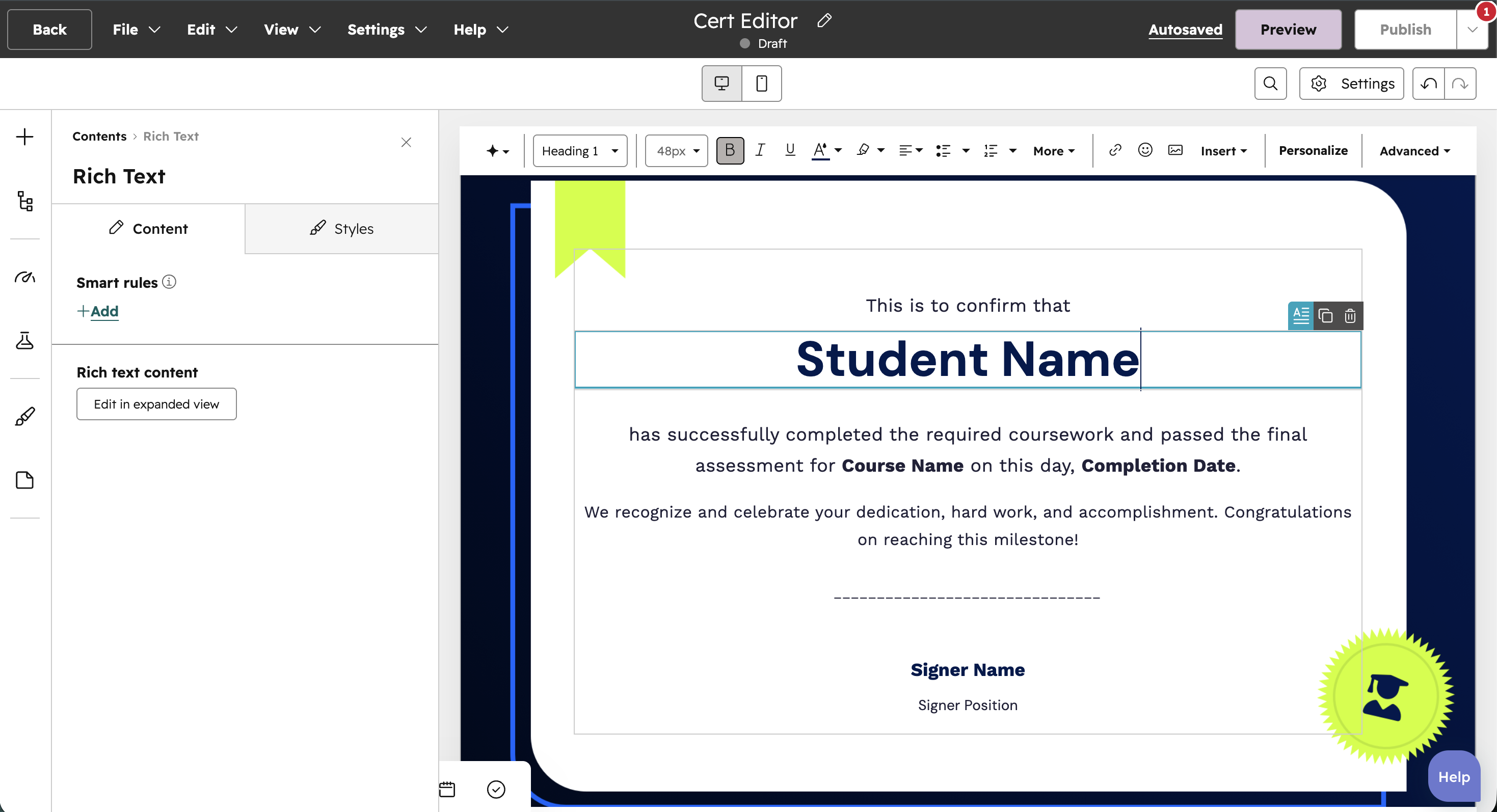
Certificates are often the most visible artifact of a learner's effort and they should look the part.
We've made significant improvements to the Certification Builder directly within the page editor, giving admins and content creators greater design control without having to leave the editing experience. You can now customize your certificates more deeply (things like layout, styling, copy, content placement) all within the familiar page editor interface.
This matters for teams who want their certifications to reflect their brand, carry professional weight, or align with the visual identity of their broader academy. Whether you're issuing completion certificates for internal training or recognized credentials for customer or partner programs, you now have the flexibility to make them look exactly right.

Coming Soon
System Email Copy Customization
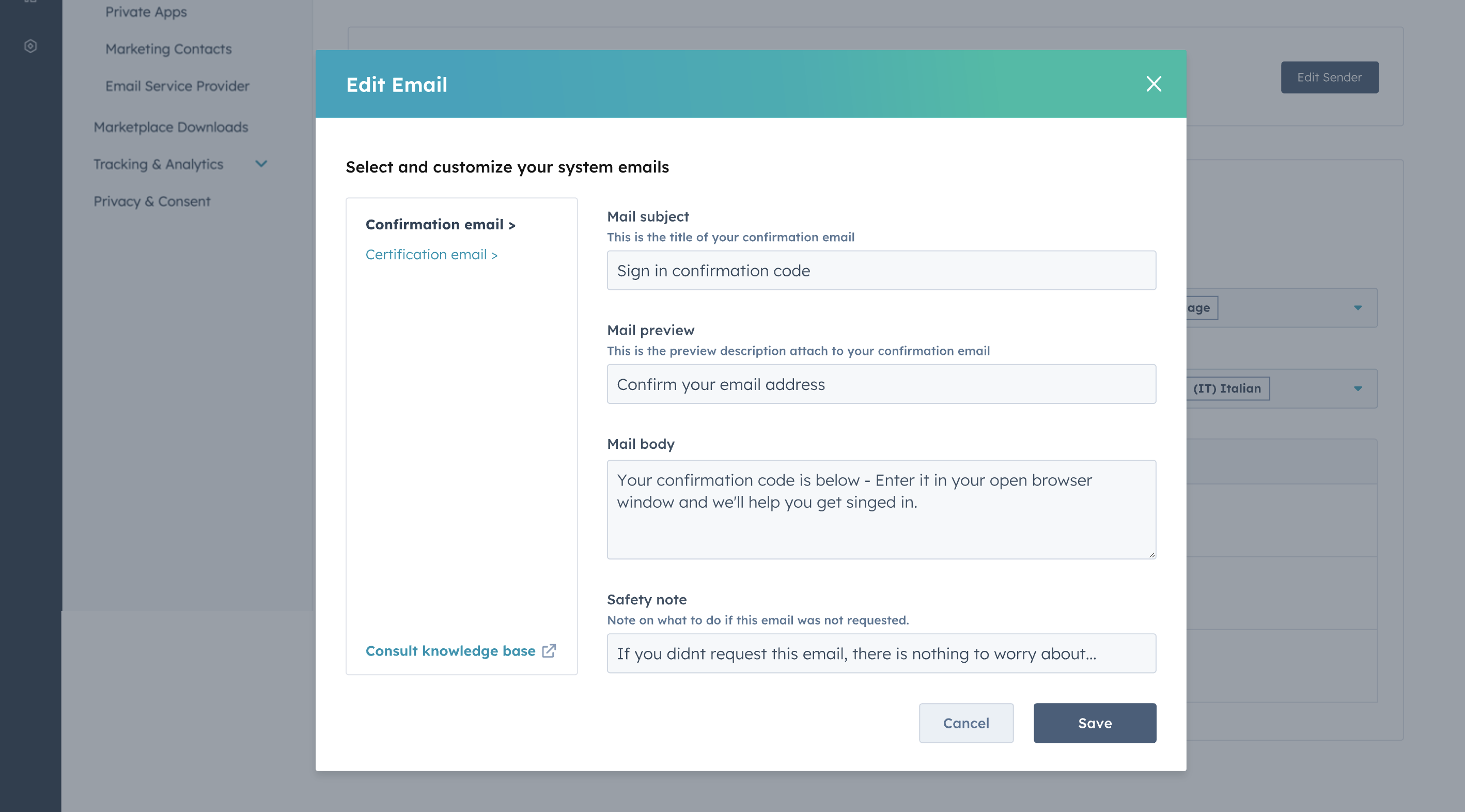
One frequently requested feature is almost here: the ability to customize the copy in Learn LMS's system-generated emails.
Right now, automated emails (things like the login validation code and certificate delivery) go out with default copy. Soon, you'll be able to edit that content to match your brand's voice, add relevant context, or tailor the messaging for different audiences.
For teams running customer academies or partner training programs, this is a big deal. Your communications will feel like a natural extension of your brand, not a generic platform notification. Stay tuned, this one is coming soon.
Full SCORM 2004 Dynamic Support
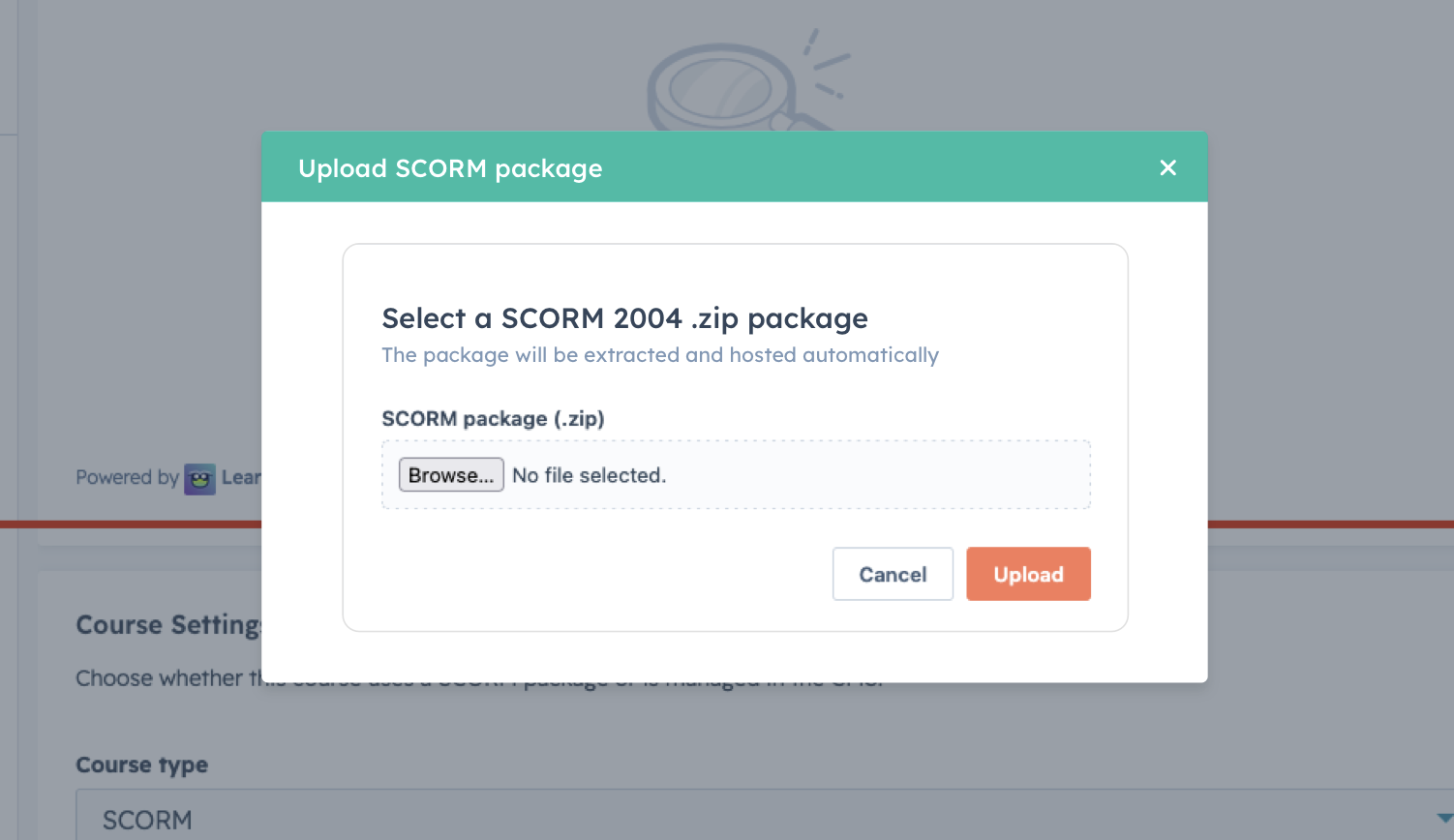
For teams working with external content or migrating from another LMS, this one has been a long time coming: official SCORM 2004 dynamic support is launching soon.
SCORM (Sharable Content Object Reference Model) is the industry-standard format for e-learning content, and 2004 is its most widely supported modern version. With SCORM 2004 compatibility, you'll be able to import content built in popular authoring tools like Articulate 360, Adobe Captivate, or Lectora directly into Learn LMS, without reformatting or rebuilding anything.
This is a major unlock for teams who already have a library of SCORM content, are transitioning away from a legacy LMS, or want to take advantage of the vast ecosystem of off-the-shelf SCORM courses available today. More details on the official launch are coming soon.
What's Next
These updates reflect something deliberate: we're building Learn LMS to be more powerful as a standalone LMS and more deeply integrated with HubSpot as a platform. Every update on this list - from App Objects to richer assessments to smarter course discovery - moves in that direction.
We'd love to hear how these changes are impacting your team. Have questions about any of the updates above, or want to see something in action? Get in touch or check out our latest documentation for setup guides and details.
And if you're not yet using Learn LMS - let's talk.